

The Numberless Timer
[Any language]
A timer with numbers is ugly and stressful.
Instead, use a beautiful timer that lets you see time passing without watching the clock.
The Numberless Timer represents time with colored blocks. Each block can have its own length and color, so you can use the timer not only for a single activity, but also for a sequence of activities.
How to use it
- Choose the time and color for each block.
- Click Add Block if you need more blocks, or remove blocks you do not need.
- Click Start.
- The setup controls disappear, leaving only the visual timer on the screen.
- As time passes, each block empties from top to bottom. When one block finishes, the next block begins automatically.
- When the entire timer is finished, you will hear a chime.
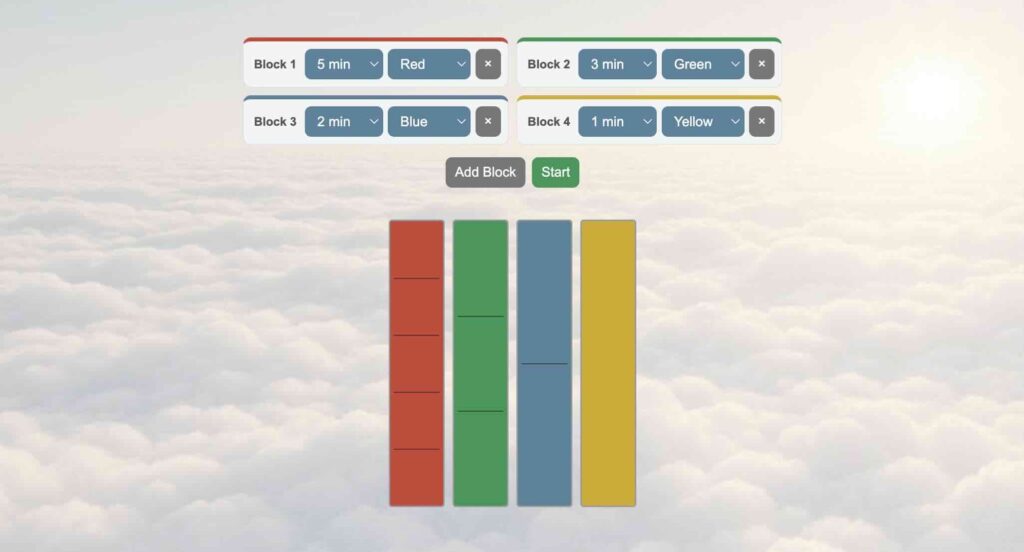
Each block can be different
For example, you might create:
5 minutes red → 3 minutes green → 2 minutes blue → 1 minute yellow
This could represent four different stages of a classroom activity, study session, presentation, meeting, game, or exercise routine.
The colors do not have any fixed meaning. Choose whatever makes sense to you. You might use green for working, yellow for preparing to finish, and red for the final stage—or use completely different colors simply because you like them.
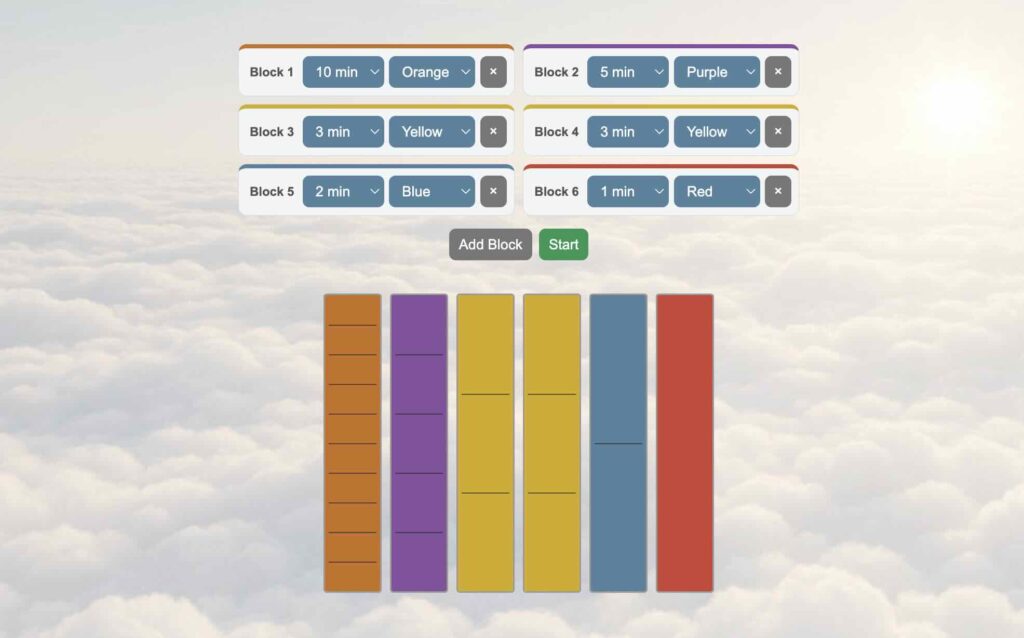
The lines represent minutes
Thin horizontal lines divide longer blocks into individual minutes.
A five-minute block has four lines, dividing it into five visual sections. A three-minute block has two lines. A two-minute block has one line.
There are still no numbers on the timer itself. The lines simply make it easier to estimate how much time has passed and how much remains.
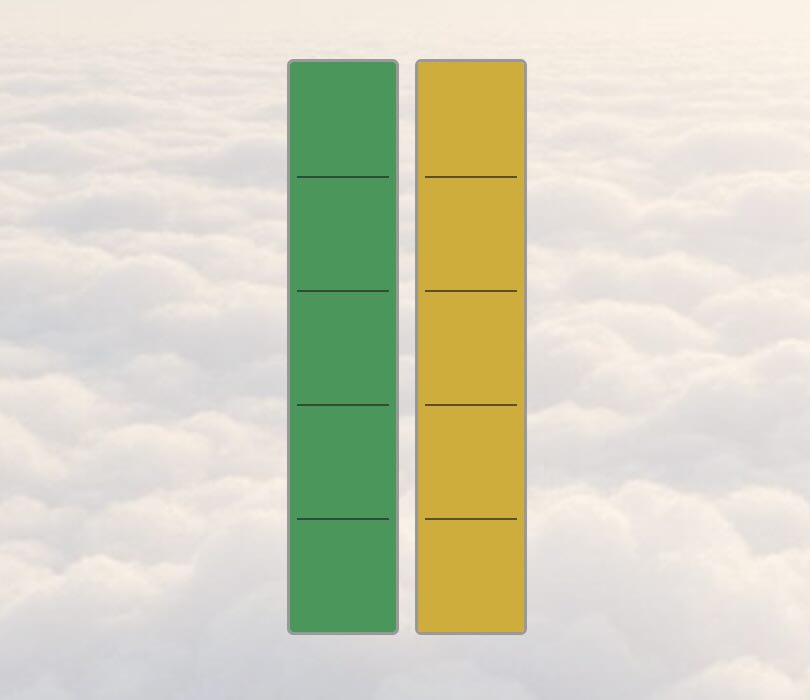
Once you start, the numbers disappear
The numerical settings are useful when you are building the timer. They are not necessary while you are using it.
When you click Start, the setup interface disappears automatically. Only the colored timer blocks remain.
This is the main idea behind the Numberless Timer: instead of repeatedly checking a countdown—
4:37 … 4:36 … 4:35 …
—you can simply glance at the shape and immediately understand approximately how much time remains.
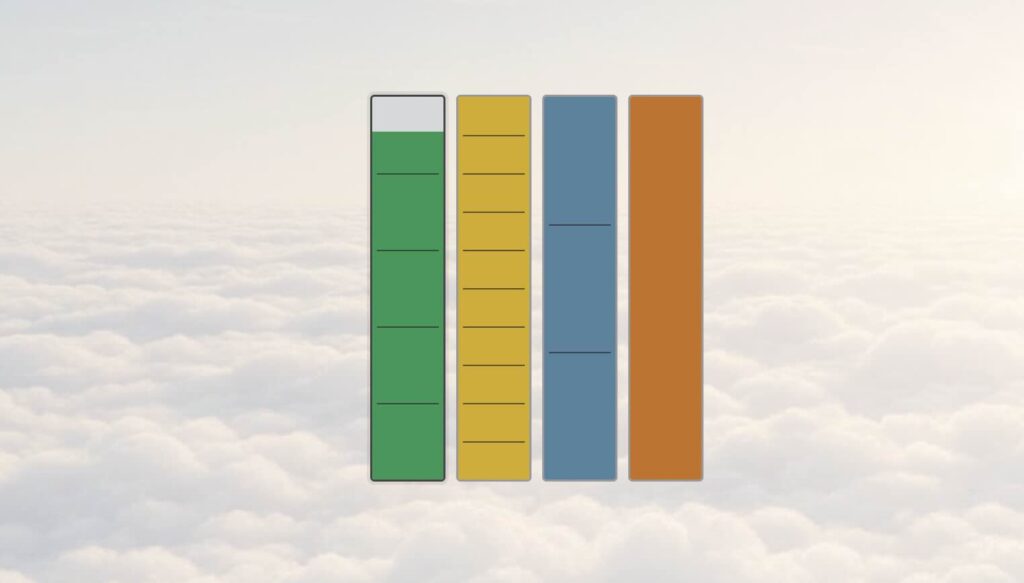
Use the blocks as stages
Because every block can have a different duration and color, the timer can also function as a simple visual schedule.
For example:
5 min — Individual work
3 min — Pair discussion
2 min — Review
1 min — Finish
Or:
10 min — Study
2 min — Break
10 min — Study
2 min — Break
The person using the timer does not need to keep checking a clock. The changing blocks show both how much time is left and where they are in the sequence.
Make it your own
You can use up to 10 blocks, with different colors and durations for each one.
That makes the Numberless Timer useful for everything from a very short activity to a long lesson or work session.
Build the sequence you want, click Start, and then forget about the numbers.
Just watch time pass.